The Mistakes Customer Support Teams Make With WhatsApp Business API
Your support team answers WhatsApp messages from a personal phone, and it shows. Customers wait hours for replies, templates get rejected, and nobody can say who owns the chat. The WhatsApp Business API does not work like the app on your phone, and that gap causes most of the damage.
This article breaks down six mistakes support teams make with the WhatsApp Business API, from the 24-hour service window to fragmented inboxes across Instagram and Messenger. You will learn what to fix first, how to measure the right things, and what a unified setup looks like.
Why WhatsApp Business API Support Goes Wrong So Often
Customer support teams adopting the WhatsApp Business API often stumble because the platform operates under a distinct set of rules that differ significantly from the consumer app they know. The interface looks familiar, but the underlying mechanics, policies, and constraints are a different world entirely.
It is a powerful but rule-bound channel. Meta enforces strict requirements around business verification, messaging limits, template approval, and user consent. Teams that treat it like a casual chat app quickly run into friction.
Most of the trouble traces back to a few predictable gaps. Support leaders underestimate the technical and policy differences, assume the platform works like the app on their phone, and only discover the gaps after customers are already affected.
The six mistakes covered in this guide show up again and again:
- Confusing the API with the consumer app
- Treating automation as a replacement for agents
- Ignoring opt-in and consent requirements
- Misusing the 24-hour customer service window
- Neglecting quality rating and phone number status
- Skipping proper setup of the WhatsApp Business Account and verification
Each one is avoidable. Understanding them early saves teams from blocked numbers, degraded quality ratings, and frustrated customers who never get a useful reply.
Confusing the API with the Consumer App
The consumer WhatsApp app and the WhatsApp Business API are built for fundamentally different use cases, yet many teams treat them interchangeably. That assumption creates problems from day one.
Setup alone differs sharply. The API requires a Facebook Business Manager account, formal business verification, and a dedicated phone number that cannot be used on a regular handset. The consumer app needs none of this.
Messaging behavior is another major gap. The API operates under messaging limits and throughput tiers, which Meta scales based on business status and quality. Teams used to unlimited app chats are surprised when volume is capped.
Common mistakes include:
- Trying to send bulk messages from the consumer app instead of through approved templates
- Expecting the same user interface and manual controls in an API-driven setup
- Assuming any phone number works without completing verification steps
- Skipping the WhatsApp Business Account setup entirely
The API also supports automation and integration with CRM and helpdesk software, while the app is purely manual. Teams that confuse the two build workflows that violate policy or simply fail to function.
The fix is straightforward: treat the API as infrastructure, not an app. Plan for verification, dedicated numbers, and tiered limits before going live.
Treating Automation as a Replacement for Agents
Automation can handle routine queries efficiently, but assuming it can fully replace human agents often backfires when complex issues arise. Chatbots work well for order status, hours, and simple FAQs. They struggle with nuance.
Without a clear human escalation path, customers get stuck in loops. A frustrated user repeating the same question to a bot that cannot understand context is a fast route to a lost customer.
Common failure patterns include:
- No option to reach a live agent at any point
- Chatbots that misread intent and repeat canned responses
- Complaints requiring empathy handled entirely by scripted flows
- Escalations that lose conversation history during handoff
The better approach is seamless handoff. Automation triages, gathers details, and passes the conversation to a person with full context intact. The customer never repeats themselves.
Agents still matter most for sensitive cases: billing disputes, complaints, and anything emotional. Automation should augment, not replace, the people handling those moments. A well-designed flow knows its limits and hands off before frustration sets in.
Mistake 1: Ignoring the 24-Hour Customer Service Window
The 24-hour customer service window is a core policy of the WhatsApp Business API, yet many support teams either overlook it or misunderstand its implications. In simple terms, when a user sends a message to a business, that action opens a 24-hour window during which the business can reply freely using session messages. These replies can include text, media, interactive buttons, and list messages, all without needing pre-approval from Meta.
The trouble starts when that window closes. Once 24 hours pass without a new inbound message from the customer, the business can no longer send free-form session messages. At that point, only template messages, which are pre-approved by Meta, can be delivered. Support teams that treat the channel like email or live chat, replying whenever an agent gets around to it, often discover their messages simply will not send.
Ignoring this rule creates two distinct problems. First, replies composed as session messages after the window expires fail to deliver, leaving customers waiting and frustrated. Second, if the team switches to a template message to reach the customer, that send is billed as a template message, which carries a cost that a timely session reply would have avoided entirely.
This is why timing matters as much as tone in customer support. A well-written response that arrives too late is functionally useless if the channel rejects it. Teams using helpdesk software or CRM integration should check whether their tools track the window automatically, since manual tracking across dozens of conversations is where mistakes cluster.
The practical takeaway is straightforward: treat the 24-hour window as a hard deadline, not a suggestion. Route inbound messages to agents quickly, prioritize conversations approaching expiry, and use canned responses or a chatbot for instant acknowledgement when human agents are unavailable. When the window is genuinely closed, the only path back to the customer runs through template messages, and that path has its own rules, which the next section covers.
What Happens When Template Messages Are Misused
Template messages are meant for specific, pre-approved use cases, but sending them indiscriminately can lead to user blocks and a damaged quality rating. Meta approves templates for categories such as order updates, appointment reminders, delivery alerts, and account notifications. They are designed for notifications and re-engagement outside the 24-hour window, not as a loophole for routine conversation.
The most common misuse is promotional content sent without proper opt-in. A customer who never agreed to marketing messages and suddenly receives a discount blast is likely to report or block the business. Each block chips away at the phone number quality rating, and a falling rating can trigger reduced messaging limits or a flagged phone number status.
Consider the contrast between good and bad template usage:
- Good: "Your order #4821 has shipped and arrives Tuesday" sent to a customer who opted in at checkout.
- Good: "Your appointment tomorrow at 3 PM is confirmed. Reply to reschedule."
- Bad: A flash sale announcement sent to every contact in the database, regardless of consent.
- Bad: Repeated re-engagement templates to users who have stopped responding.
User consent is not a formality. It is the mechanism that keeps the messaging channel healthy for everyone. When recipients block the business, the damage compounds: fewer messages reach the people who do want them, throughput suffers, and recovering a poor quality rating takes sustained good behavior over time.
Support teams should also remember that template content itself is reviewed. Vague or overly salesy wording risks rejection during approval, and editing an approved template's meaning after the fact can cause problems later. Keep templates factual, specific, and tied to a transaction or relationship the customer already has.
The safest habit is to ask a simple question before every template send: did this person agree to hear from us, and does this message serve them rather than us? If the answer is unclear, the message probably should not go out. Respecting both the 24-hour window and template rules keeps the phone number in good standing and preserves the channel's reach.
Mistake 2: Running WhatsApp in a Silo Away From Other Channels
When WhatsApp operates as an isolated channel, support teams lose context and customers face frustrating repetitions across platforms. A customer who messages on WhatsApp, then follows up by email, then tries Instagram often ends up explaining the same problem three times. Each explanation erodes patience and trust.
The root cause is usually organizational, not technical. WhatsApp gets added as "one more channel" alongside Instagram, Messenger, and email, and each one lives in its own tab, its own dashboard, or its own agent queue. No single person owns the full customer journey, so nobody notices the gaps.
This silo effect shows up in several predictable ways:
- Agents toggle between four or five browser tabs to find a single conversation history
- Customer details captured on WhatsApp never reach the CRM or helpdesk record
- Response times stretch because agents must manually copy notes between tools
- Supervisors cannot see total conversation volume or staffing needs across channels
The fix is a unified inbox, a shared workspace where WhatsApp Business API conversations sit beside Instagram, Messenger, and email threads under one customer profile. Agents see the full history in one place, and context travels with the customer instead of dying at the channel boundary. Consolidation is what makes fast, informed replies possible.
This is not just a convenience issue. Every disconnected tool adds a handoff, and every handoff is a place where information gets lost. The next section breaks down what that fragmentation actually costs in resolution time, satisfaction scores, and agent effort.
The Cost of Fragmented Conversations Across WhatsApp, Instagram and Messenger
Fragmentation across messaging apps means customers must repeat themselves, while agents waste time toggling between tools and lack a complete view of interactions. Consider a typical case: a buyer asks about a delayed order on WhatsApp, gets no reply within the 24-hour customer service window, and follows up on Instagram the next morning. The Instagram agent has no visibility into the WhatsApp thread and starts from zero.
The customer re-explains the order number, the delivery date, and the previous conversation. The agent asks clarifying questions that were already answered elsewhere. What should have been a one-message resolution becomes a multi-day back-and-forth across two platforms.
The damage tends to fall into three buckets:
- Longer resolution times, because agents rebuild context instead of continuing it
- Lower CSAT scores, since repetition signals that the business does not know its own customers
- Higher agent effort, as staff juggle windows, notes, and manual copy-paste between systems
There is also a hidden cost in quality signals. When WhatsApp runs alone, template messages, opt-in records, and user consent details may sit in one system while order data sits in another. That split makes it harder to send relevant, timely updates and easier to drift toward messages customers perceive as spam, which can affect blocked contacts and quality rating over time.
A unified platform solves this by keeping every messaging channel connected to one customer record, so history, consent status, and conversation context stay intact. Tools in this category generally aim to consolidate WhatsApp Business API, Instagram, Messenger, and email into a single agent workspace with shared customer profiles. The result is fewer repetitions for customers and less tool-switching for agents.
Fragmentation is not free. It quietly raises the cost of every conversation while lowering the quality of each one. The next section examines how these hidden costs compound as message volume grows.
Mistake 3: Slow First Response and No Clear Ownership
Slow first response times and unclear ownership are among the most common reasons customers abandon WhatsApp support interactions. People treat WhatsApp as a personal, immediate messaging channel, so they expect replies within minutes, not hours or days.
That expectation is what makes delayed responses so damaging. A customer who waits too long often closes the chat and contacts a competitor instead. Speed signals that a business values the person on the other end.
Many customer support teams underestimate this pressure. They apply the same response cadence used for email tickets, where a reply the next business day is considered acceptable. On WhatsApp, that cadence feels like being ignored.
The second half of the problem is ownership. When no one is clearly responsible for an incoming message, it can sit unread while every agent assumes someone else has picked it up. Even when replies do happen, they may come from multiple agents at once, confusing the customer.
Common symptoms of missing ownership include:
- Conversations left unread during busy periods or shift changes
- Two or more agents answering the same question with different information
- No record of who promised what, or when a follow-up was due
- Customers repeating their issue because no agent has full context
The fix starts with clear assignment rules. Every incoming WhatsApp conversation should have a named owner, even if that owner changes between shifts. Accountability turns a shared queue into a managed workflow.
Response time targets also need to be explicit. Teams should define what "fast" means for their business, then track it. Without a target, agents have no shared standard to work toward.
This connects directly to the next problem. Even well-intentioned teams struggle to respond quickly when their inbox structure works against them.
Why Shared Inboxes Without Assignment Rules Fail
A shared inbox without clear assignment rules creates chaos, as agents either duplicate efforts or assume someone else is handling the query. The result is a queue where messages are technically visible to everyone but effectively owned by no one.
Picture a typical morning. Ten WhatsApp messages arrive within an hour. Two agents both open the same conversation and send overlapping replies with slightly different answers. Meanwhile, three other messages sit untouched because each agent believes a colleague has them covered.
The customer experience suffers in predictable ways:
- Duplicated replies make the business look disorganized and can contradict earlier answers
- Unread messages pile up until the customer gives up or complains on another channel
- No accountability means no one can explain why a conversation stalled
- Lost context forces customers to repeat details they already shared
Assignment rules solve this by giving every conversation a single owner. Common approaches include round-robin distribution, where new chats rotate evenly across available agents, and skill-based routing, which sends a query to the agent best equipped to handle it.
Other useful rules cover load balancing, language matching, and escalation paths for priority customers. The specific setup matters less than the principle. Each conversation should have one clear owner at any given time.
These capabilities are standard in most helpdesk software, and many platforms can connect to the WhatsApp Business API so messages flow into the same routing system as other channels. That integration matters because it keeps WhatsApp from becoming a separate, unmanaged inbox.
When assignment rules work well, response times tighten, duplicate replies disappear, and managers can see exactly where conversations stand. When they are missing, even a well-staffed team can appear slow and disorganized.
The next section looks at how shared inbox failures compound these problems, and what teams can do to prevent them.
Mistake 4: Over-Automating Without a Human Handoff Path
While chatbots can handle a large volume of queries, failing to provide a smooth transition to a human agent when needed leads to customer frustration and lost trust. Automation works best when it clears the simple requests and passes the complicated ones along without friction.
Customer support teams that treat a chatbot as a replacement rather than a first line of response often discover the limits of automation the hard way. A customer with a billing dispute, a damaged order, or an urgent complaint does not want to repeat their problem to a menu of buttons.
The fix is not less automation. It is automation with an exit door, designed before the bot ever goes live.
Why Escalation Triggers Matter
A chatbot needs clear signals that tell it when to stop and hand over. Without these triggers, the bot keeps guessing while the customer keeps getting angrier. Well-designed flows build escalation into the logic from day one.
Common triggers customer support teams use include:
- Keywords and phrases such as "agent," "human," "representative," or "speak to someone"
- Sentiment analysis that flags frustration, anger, or repeated negative language
- Repeated failures, such as the bot failing to understand the same question two or three times in a row
- High-value or sensitive topics like refunds, account security, or legal complaints
- Explicit customer request through a persistent menu option or interactive button
These triggers should be tested regularly. A keyword list that misses common phrasing, or a sentiment model that ignores sarcasm, will quietly push frustrated customers toward the block button.
What Poor Handoff Looks Like
The most damaging handoff failures are easy to spot once you know what to look for. Each one erodes trust in the messaging channel and, by extension, in the brand.
Watch for these patterns:
- Bot loops where the customer is sent back to the main menu after every answer, never reaching a person
- No human option at all, forcing customers to abandon WhatsApp and hunt for a phone number or email address
- Long waits after escalation, where the customer is told an agent will respond and then hears nothing for hours
- Zero context passing, so the customer must repeat their name, order number, and entire problem to the human agent
- Dead-end messages that close the conversation without confirming whether the issue was resolved
Each of these turns a solvable problem into a public complaint. On WhatsApp, frustrated customers can leave a review, post a screenshot, or simply stop replying, and the support team may never know why.
Best Practices for a Human Handoff Path
Good handoff design is built on three principles: the customer can always reach a person, the agent receives full context, and expectations are set clearly at every step.
Offer a human at any point. Do not bury the option three menus deep. A persistent "Talk to an agent" button or a recognized keyword should work immediately, no matter where the customer is in the flow.
Pass context to the agent. When the conversation moves from bot to human, the agent should see the full transcript, the customer's name and contact details, and any information the bot already collected. This removes the need for the customer to start over.
Set expectations during the wait. If an agent is not available right away, tell the customer how long the wait is likely to be and what happens next. A clear message about response times is far better than silence.
Close the loop. After the human resolves the issue, a short follow-up message confirming the outcome helps rebuild trust and gives the customer a reason to return to the channel.
Customers value speed, but they value being heard even more. A bot that knows when to step aside protects both the customer relationship and the reputation of the WhatsApp Business Platform account behind it.
Mistake 5: Skipping Opt-Ins, Quality Ratings and Compliance Basics
Neglecting opt-in requirements and compliance can lead to a damaged quality rating, reduced messaging limits, or even the suspension of your WhatsApp Business API access. These rules are not optional formalities. They are the foundation that keeps a business number in good standing on the WhatsApp Business Platform.
Customer support teams often focus on speed and volume while treating policy details as an afterthought. That trade-off rarely pays off. Meta enforces compliance through automated systems, and by the time a problem surfaces, the damage to a phone number status may already be done.
This section covers the three pillars every support team must respect: user consent, quality rating, and business verification. Getting them right protects both your messaging channel and your customers' trust.
The opt-in requirement is absolute. Before sending any message through the WhatsApp Business API, a business must obtain explicit consent from the recipient. This applies to template messages, marketing notifications, and any outbound communication outside an active conversation.
Consent must be clear and specific. A pre-checked box buried in terms of service does not count. Users should understand they are agreeing to receive messages on WhatsApp, and the business should record when and how that permission was given.
Support teams make several common opt-in mistakes:
- Importing phone numbers from a CRM without confirming each contact agreed to WhatsApp messages
- Treating a purchase or account signup as automatic consent for promotional messaging
- Continuing to send messages after a customer says stop or blocks the number
- Sharing opt-in lists across departments without tracking the original source
Each of these behaviors risks user reports, and enough reports can push a number toward restricted status. Honoring opt-outs promptly matters just as much as collecting consent in the first place.
Quality rating is the scorecard Meta assigns to your number. It reflects how recipients respond to your messages, based on signals such as blocks, reports, and muted conversations. A high rating signals that people want to hear from you. A low rating signals the opposite.
The consequences scale with the problem. When quality drops, messaging limits shrink, which means fewer template messages can reach users in a given period. In severe cases, the phone number status changes to flagged or restricted, and throughput for the entire account suffers.
Support teams often miss the warning signs because rating changes are gradual. A spike in blocked contacts after a poorly targeted campaign, or repeated reports tied to one template, may not be noticed for days.
Monitoring habits that help include:
- Reviewing quality rating and messaging limits regularly in the WhatsApp Business Account dashboard
- Tracking block and report patterns by template and by campaign
- Pausing a template the moment negative feedback clusters around it
- Comparing send volume against reply and opt-out rates over time
Providing genuine value is the most durable protection. Messages that answer a real question, confirm an order, or resolve an issue rarely trigger reports. Messages that feel like spam almost always do.
Business verification and policy compliance complete the picture. Meta requires businesses to verify their identity through Facebook Business Manager before unlocking full messaging capabilities. Verification connects your WhatsApp Business Account to a legitimate legal entity.
Unverified accounts face tighter limits and fewer features. The process typically involves submitting business documents and confirming details about your organization. Support teams should treat verification as a launch requirement, not a later task.
Beyond verification, teams must follow WhatsApp's commerce and messaging policies. These cover what can be sold, how templates may be worded, and which categories of content are prohibited. Common compliance gaps include:
- Using template messages for purposes they were not approved for
- Sending promotional content inside a service conversation without consent
- Ignoring restrictions on certain product categories
- Failing to keep business information accurate after a rebrand or legal change
Practical safeguards help teams stay compliant without slowing down support. Keep opt-in records attached to each contact in the CRM integration or helpdesk software. Route opt-out requests through an automated workflow so no agent forgets to process them.
Review template messages on a regular schedule, and retire any that consistently underperform. Train agents on the difference between the 24-hour customer service window and outbound template messaging, since confusion between the two is a frequent source of violations.
Finally, designate someone to own compliance. When responsibility is shared vaguely across a team, quality rating checks and policy updates slip through the cracks. A named owner keeps the messaging channel healthy and the customer experience consistent.
Mistake 6: Not Measuring What Matters on WhatsApp
Without tracking the right metrics, support teams cannot identify bottlenecks or prove the ROI of their WhatsApp channel. A team might feel busy all day yet have no idea whether customers are actually being helped quickly or whether the channel is reducing load on email and phone.
WhatsApp Business API conversations generate a steady stream of data. The problem is that many teams never look at it, or they watch only one number and miss the full picture. What gets measured gets managed, and on a messaging channel that runs around the clock, that discipline matters even more.
The metrics below cover speed, quality, and volume. Together they show whether the channel is healthy or quietly failing.
- First response time: how long a customer waits before a human or bot replies
- Resolution time: how long it takes to fully close the issue, not just acknowledge it
- Customer satisfaction (CSAT): post-conversation ratings that reveal whether speed translated into a good outcome
- Message volume: total inbound and outbound messages, plus how volume shifts by hour and day
- Template message delivery rates: how many message templates were delivered, read, and acted on
- Quality rating: Meta's rating of the phone number, which affects messaging limits and the phone number status
Each metric answers a different question. A fast first response with a slow resolution points to weak escalation paths. A strong CSAT score with a falling quality rating suggests customers are happy but some are blocking or reporting the business anyway.
Template message delivery rates deserve special attention. If templates are frequently undelivered or ignored, the problem is often poor opt-in practices, weak user consent records, or copy that reads like spam. Fixing the template, not sending more of them, is the answer.
Quality rating is the metric teams overlook most often. It is tied directly to how recipients respond to messages, and a low rating can restrict messaging limits. Reviewing it weekly helps teams catch problems before they affect throughput or force a pause on outbound campaigns.
Turning numbers into improvements takes a routine, not a one-time audit. Set up a dashboard that pulls from the WhatsApp Business API and any CRM integration or helpdesk software in use, then review it on a fixed schedule.
- Pick a small set of core metrics rather than tracking everything at once
- Compare results week over week to spot trends, not just daily noise
- Segment by conversation type: sales, support, and proactive template messages behave differently
- Feed findings back into canned responses, quick replies, and chatbot flows
- Revisit targets quarterly as volume and staffing change
Many platforms that connect to the WhatsApp Business Platform include built-in analytics, so teams can often start without custom tooling. The key is choosing a small set of metrics, reviewing them on a regular schedule, and acting on what the data shows.
Done consistently, measurement turns the channel from a black box into a system you can improve. Teams learn where automation helps, where humans are needed, and whether the investment in the WhatsApp Business API is paying off.
Getting the Setup Right: What a Unified Platform Looks Like
A unified platform brings together WhatsApp, Instagram, Messenger, and other channels into a single interface, streamlining support and ensuring no conversation is missed. Instead of asking agents to juggle a WhatsApp Business API dashboard, a separate helpdesk, and a spreadsheet of customer records, everything lives in one place.
That single view matters because most mistakes support teams make with the WhatsApp Business API trace back to fragmentation. Disconnected tools create blind spots, and blind spots produce slow replies, missed opt-ins, and inconsistent messaging.
A well-built unified platform typically includes the following core elements:
- One shared inbox where every agent sees the same conversation history across WhatsApp, Instagram, Messenger, and web chat
- Integrated CRM so customer context, past orders, and prior tickets appear alongside the chat
- Automation with human handoff, letting bots handle routine queries while escalating complex ones to a person
- Analytics covering response times, resolution rates, and message quality signals
- Compliance tools for managing opt-in, user consent, template messages, and the 24-hour customer service window
Each of these maps directly to a common mistake. Silos cause missed messages. Weak CRM integration causes repetitive questions. Over-automation without handoff frustrates customers. Poor analytics hide declining quality ratings. Missing compliance controls lead to blocked contacts and messaging limits.
When these capabilities sit inside one system, the WhatsApp Business Platform stops being a standalone channel and becomes part of a coherent support operation. The next sections look at how Com.bot approaches each of these areas.
How Com.bot Addresses These Gaps
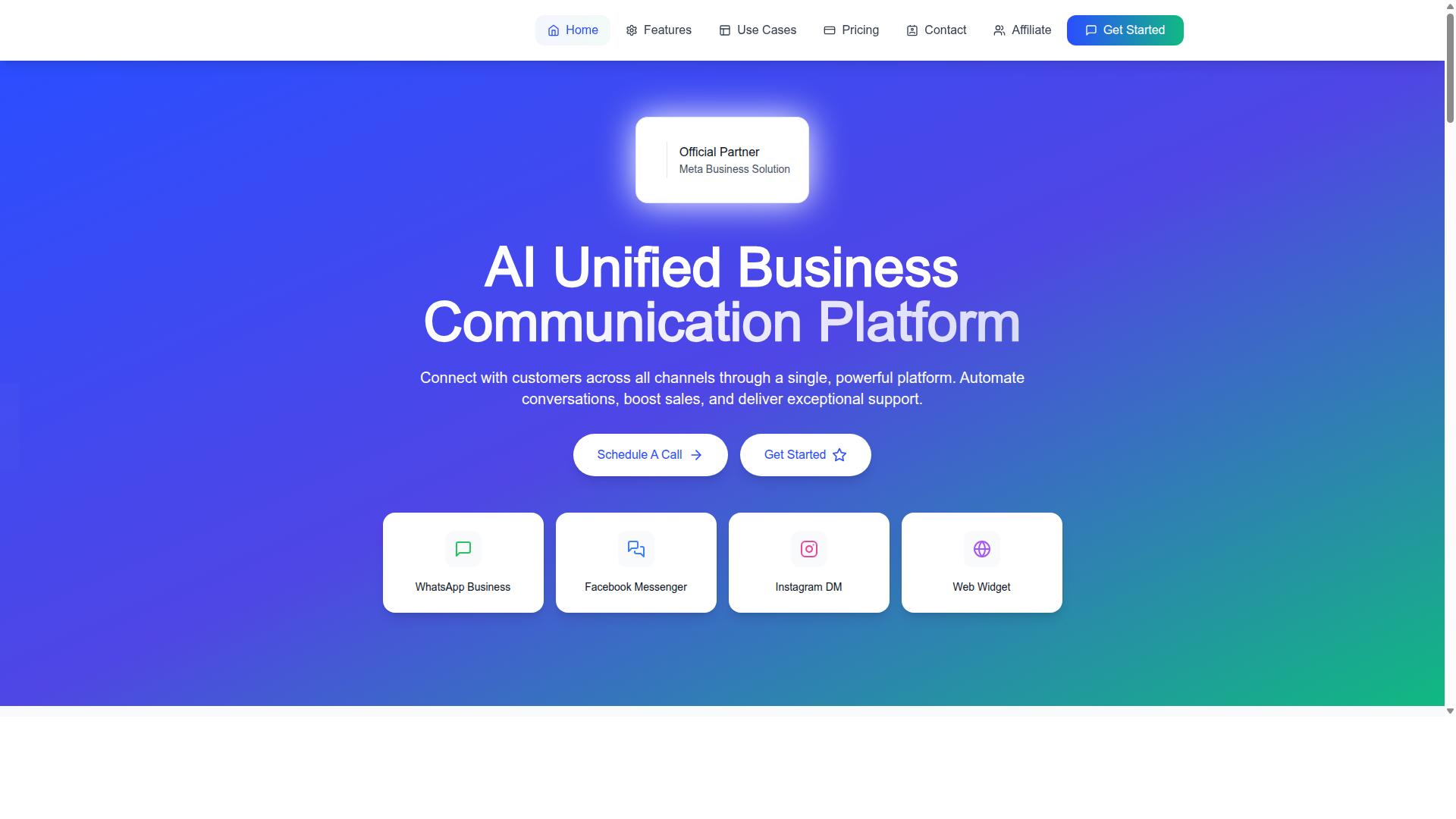
Com.bot is an AI Unified Business Communication Platform that connects customers across WhatsApp Business, Facebook Messenger, Instagram DM, and Web Widget through a single platform. Owned and managed by Com Bot AI Limited, it is designed around the same unified model described above.
Here is how its capabilities map to the six mistakes customer support teams commonly make:
- Silos and missed conversations: a unified team inbox pulls messages from every connected channel into one queue, so nothing depends on an agent remembering to check a second tab
- Over-automation: a visual bot builder lets teams design flows that include human handoff, keeping conversations with real people available when a query needs nuance
- Weak customer experience: native payments and multi-channel support keep transactions and conversations in the same place rather than pushing customers elsewhere
- Poor measurement: built-in analytics give teams visibility into how conversations and automations perform instead of leaving them to guess
Com.bot is an Official Meta Business Partner with direct WhatsApp Business API integration, which matters for teams concerned about business verification, phone number status, and staying aligned with Meta's policies. The platform also emphasizes enterprise-grade security, a reasonable priority for any business handling customer conversations at scale.
Together, these features target the root causes rather than the symptoms. A shared inbox removes duplication, automation with handoff balances speed against empathy, and analytics close the feedback loop that helps teams catch quality rating problems early.
Plans, Add-Ons and Global Availability
Com.bot offers flexible pricing plans to suit different business sizes, with add-ons for additional team members, social channels, and external actions. The structure is straightforward, which helps teams predict costs before scaling their support operation.
| Plan | Price | Notes |
|---|---|---|
| Silver | $149 per quarter | Entry tier |
| Gold | $349 per quarter | Recommended plan |
| Platinum V1 | $2500 per quarter | Higher tier for larger needs |
Beyond the base plans, add-ons are priced at $10 per month for an additional team member, social channel, or external actions (per 5000). Bot triggers are available at the same rate per 25,000, and an ecom store add-on is also offered. Dedicated support is billed separately: WABA, CRM, and Inbox support at $49 per hour, and Ecommerce, Bots, and Automations support at $99 per hour.
WhatsApp messaging itself is charged at actual Meta rates with no markup, which keeps the platform's pricing transparent for teams comparing options. Com.bot is available worldwide online, serving customers in more than 50 countries.
For support teams, the practical takeaway is to match the plan to conversation volume and channel count, then add team members or channels as the operation grows. That flexibility matters when a business is moving from a single WhatsApp number to a multi-channel setup across WhatsApp, Messenger, Instagram, and web chat.