7 Mistakes to Avoid When You Schedule WhatsApp Messages for Business in 2026
Scheduling a WhatsApp message in 2026 can get your business number banned. Meta's template rules, opt-in requirements, and per-message pricing now punish sloppy automation, and many platforms still ship tools that ignore all three.
This article walks through seven mistakes that break scheduled WhatsApp campaigns, from missing consent to untracked order follow-through. You will learn what each mistake costs you, how Meta's Business API rules apply, and which setup decisions keep your broadcasts compliant and your replies handled.
What Is Com.bot and Why It Matters for Scheduled WhatsApp Messaging in 2026
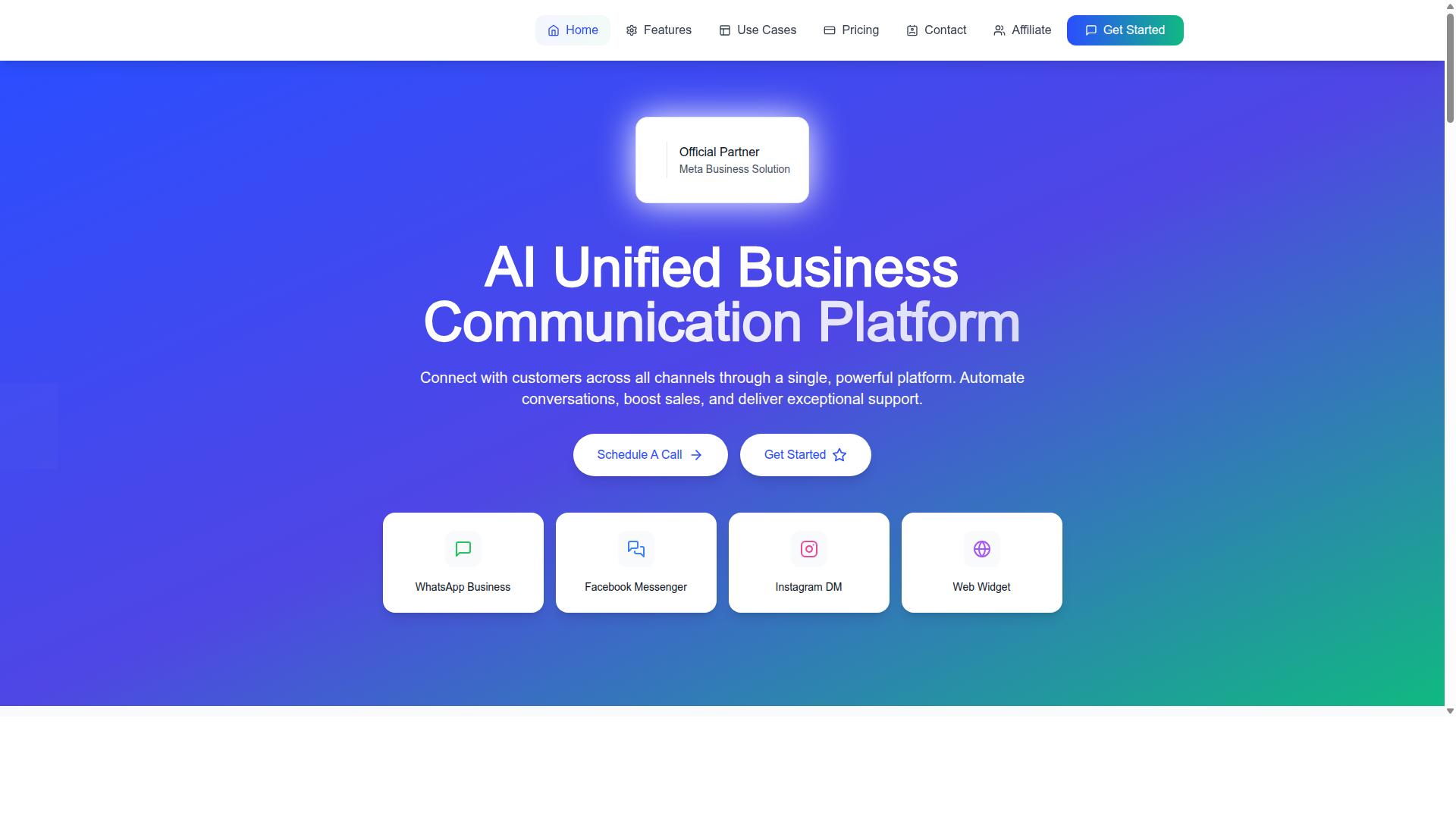
Com.bot is an AI-powered Unified Business Communication Platform that consolidates WhatsApp Business, Facebook Messenger, Instagram DM, and Web Widget into a single interface, making it a central hub for scheduled messaging in 2026.
Rather than juggling separate tools for each channel, teams work from one place. Com.bot is an Official Meta Business Partner with direct WhatsApp Business API integration, a detail that matters when message scheduling depends on stable, policy-compliant access to the API.
The platform is owned and managed by Com Bot AI Limited. Its purpose is straightforward: automate conversations, support sales, and deliver responsive customer support across every channel a modern buyer uses.
Why does this matter now? Customer expectations in 2026 have shifted. People expect timely, relevant messages on the channel they already use, and they notice when a business responds late or not at all.
Scaling that kind of responsiveness by hand is not realistic. Automation is what lets a small team send appointment reminders, order updates, and follow-ups on schedule without hiring proportionally.
There is also a broader shift toward proactive engagement. Instead of waiting for customers to start a conversation, businesses now plan ahead with scheduled messaging, and that planning is where most mistakes happen.
Com.bot supports this shift through three core capabilities:
- Unified team inbox: conversations from all connected channels in one view
- Visual bot builder: a way to design automated conversation flows without deep technical work
- Native payments: the ability to handle transactions within the platform
Scale is another signal of reliability. Com.bot serves 23,000+ active customers and processes 25M+ messages per day, which speaks to how the platform performs under real messaging volume.
That context sets up the rest of this article. Scheduling WhatsApp messages for business in 2026 involves real pitfalls: opt-in consent, GDPR compliance, template messages, the 24-hour window, message frequency, time zone errors, and API rate limits.
Each mistake covered ahead is common, avoidable, and costly in different ways. Knowing how Com.bot handles scheduling, automation, and multi-channel communication makes it easier to see where those errors creep in and how to sidestep them.
Mistake 1: Scheduling Without Opt-In Consent and Template Compliance
Scheduling messages without explicit opt-in consent violates WhatsApp's Business Policy and can lead to number bans, making opt-in the non-negotiable foundation of compliant messaging. Many businesses treat consent as a formality, then wonder why their quality rating slides or their number gets flagged. The rule is simple: no permission, no message.
WhatsApp requires businesses to obtain explicit opt-in consent before sending any message. Consent is not implied by a phone number sitting in your CRM, and it is not inherited from a purchased contact list. Without documented permission, every scheduled message becomes a policy violation waiting to be reported.
Collecting opt-in properly takes a few proven methods. Each one gives you a clear record of when and how a customer agreed to hear from you.
- Website forms: Add a checkbox that states the customer agrees to receive WhatsApp updates, kept unchecked by default.
- QR codes: Place them on receipts, packaging, or in-store signage so customers can start a chat and opt in themselves.
- In-chat prompts: Ask for permission directly inside the conversation before adding anyone to a scheduled sequence.
Once consent is given, store the record. Note the date, the source, and the exact wording the customer agreed to. If a dispute or audit arises, that record is your only defense.
Template compliance is the second half of this mistake. WhatsApp splits messages into two categories, and each follows different rules.
- Template messages: Used outside the 24-hour window. These must be pre-approved by WhatsApp before you can schedule them.
- Session messages: Sent within the 24-hour window after a customer's last reply. These can be free-form, no template needed.
Businesses often schedule a marketing campaign using a free-form message, then watch it fail because the window had already closed. The fix is to map every scheduled send to the right category before it goes into the queue.
The consequences of getting this wrong are not minor. Failed deliveries are the first sign. From there, your quality rating drops, WhatsApp throttles your sending, and in serious cases the number gets suspended or banned. A banned number can be difficult or impossible to recover, taking your entire customer engagement history with it.
Privacy law adds another layer. GDPR compliance and similar regulations in other regions require a lawful basis for processing personal data, and consent is often that basis. Penalties for non-compliance can dwarf any revenue a campaign generates, so opt-in is a legal safeguard as much as a platform requirement.
Use this checklist before scheduling any WhatsApp Business API message:
- Confirm every recipient has given explicit opt-in.
- Apply double opt-in for high-volume or marketing lists.
- State clearly how often messages will arrive.
- Offer a one-tap opt-out in every message.
- Match each scheduled send to the correct template or session category.
- Keep consent records stored and searchable.
Double opt-in is worth the extra step. A customer confirms once on your form, then confirms again in chat. It reduces spam complaints, protects your sender reputation, and produces a cleaner consent trail.
Frequency disclosure matters too. Telling customers upfront that they will receive weekly order updates or monthly promotions sets expectations and cuts down on blocking and reporting. An easy opt-out, such as replying STOP, keeps you compliant and keeps your list honest.
Using an official API platform makes this far easier to manage. A compliant platform handles template management and consent tracking in one place, so approved templates, opt-in records, and the 24-hour window are all visible before a message is scheduled. That structure is what keeps scheduled messaging, automation, and business communication on the right side of WhatsApp policy in 2026.
Mistake 2: Ignoring Time Zones, Timing, and Customer Local Context
Sending a scheduled WhatsApp message at 3 AM local time is a surefire way to annoy customers and damage engagement, yet many businesses overlook time zone differences. A message that lands at a convenient mid-morning moment for your head office may arrive in the middle of the night for a customer several zones away. In 2026, as WhatsApp Business messaging becomes a core channel for customer support, marketing campaigns, and transactional messages, timing is no longer a minor detail. It directly shapes whether people read, reply, or mute your business entirely.
The stakes go beyond a single ignored message. Poorly timed outreach erodes trust, drives blocking and reporting, and hurts long-term deliverability. Once a user mutes or reports a business, re-earning that attention becomes far harder. Scheduling with time zone awareness is therefore a foundational part of any responsible WhatsApp Business strategy.
Consider how often timing mistakes happen in practice. A business based in one region schedules a promotional broadcast for 9 AM its own time, not realizing that a large share of its audience sits several hours behind. The message lands at 5 AM for those recipients, buried under overnight notifications before their day even begins.
Common timing errors that damage customer engagement include:
- Early morning sends that arrive before customers have started their day.
- Late night messages that interrupt rest and feel intrusive.
- Weekend broadcasts for non-urgent marketing when attention is elsewhere.
- Local holiday sends that ignore regional calendars and cultural context.
- Blanket scheduling that treats a global audience as if it shares one clock.
Each of these mistakes signals a lack of customer local context. Recipients rarely distinguish between a poorly timed automated message and a business that simply does not care. Over time, that perception shapes whether they stay opted in.
The practical fix is audience segmentation by time zone. Rather than pushing one broadcast to your entire list at a fixed hour, group contacts by their local region and schedule each segment to arrive during that group's daytime hours. This approach works for marketing campaigns, appointment reminders, order updates, and abandoned cart recovery alike.
When evaluating scheduling tools, look for platforms that support time zone detection and per-segment scheduling. A tool that lets you define send windows by region reduces manual guesswork and lowers the risk of scheduling errors. This is where Com.bot's platform helps, allowing businesses to schedule messages with time zone awareness so outreach lands at more appropriate local moments.
Best practices to follow:
- Send during business hours, roughly 9 AM to 6 PM in the recipient's local time.
- Avoid weekends unless the message is genuinely urgent or expected.
- Check regional holiday calendars before scheduling campaigns.
- Test different send times and compare engagement across segments.
- Use customer data to personalize timing based on past engagement patterns.
That last point matters most. If a customer consistently opens messages in the evening, scheduling their updates for the morning may waste the opportunity. Pairing time zone awareness with behavioral data turns generic scheduling into something closer to personalization, and it keeps your WhatsApp Business messaging respectful of the people receiving it.
Mistake 3: Over-Scheduling and Flooding Contacts With Bulk Messages
Flooding contacts with too many scheduled messages is the fastest way to get blocked and reported as spam, destroying your sender reputation. WhatsApp is a personal messaging channel first, and users treat unwanted bulk messages the same way they treat a stranger texting them repeatedly.
When recipients hit "block" or "report," those signals feed directly into WhatsApp's quality rating system. A falling rating reduces your deliverability and can eventually restrict your ability to send template messages altogether.
Recovery from a damaged rating is slow and difficult. The safest approach is to treat frequency as a design decision, not an afterthought.
How Message Frequency Affects Block and Report Rates
Every message you schedule competes for attention in a space people reserve for friends and family. Marketing campaigns sent too often train recipients to mute, block, or report, and each of those actions carries a cost.
WhatsApp tracks a quality rating for business phone numbers, based on how recipients respond. Blocks and reports push that rating down. A low rating triggers slower sending, tighter API rate limits, and in serious cases, a temporary or permanent ban.
Research suggests that message fatigue sets in quickly on chat apps. A contact who opted in for order updates may not want weekly promotions, and treating every opt-in as consent for unlimited marketing is a common scheduling error.
Frequency guidelines that work well for most businesses:
- Marketing campaigns: limit to roughly two to four sends per month, and only to contacts who clearly opted in for promotions
- Transactional messages: send as needed, since order updates, appointment reminders, and delivery alerts are expected and rarely trigger complaints
- Quiet hours: avoid scheduling outside reasonable local hours, typically before 8 a.m. or after 9 p.m.
- Time zone awareness: a message scheduled for 10 a.m. in one region may arrive at 2 a.m. in another
The 24-hour window matters here too. Session messages are free-form within that window, but outside it you must rely on approved templates, so plan campaigns around when contacts are actually likely to reply.
Segmentation and Engagement Signals
Relevance is the strongest defense against blocks. A contact who receives a message about a product they actually bought is far less likely to report it than someone who gets an unrelated blast.
Audience segmentation solves most of this. Split contacts by purchase history, engagement level, and opt-in type, then schedule different messages for each group. A customer who opened your last three campaigns belongs in a different list than someone who has ignored every send.
Watch engagement metrics closely. Low open or reply rates on a broadcast list are an early warning that your frequency or content is wearing thin. Pruning inactive contacts protects your quality rating more than pushing through to them.
Make opting out effortless. A clear "reply STOP to unsubscribe" line costs nothing and prevents the far more damaging alternative: a block or spam report. A simple preference center lets contacts choose which message types they receive, keeping marketing consent separate from transactional updates.
Platforms built for WhatsApp Business messaging, including Com.bot, typically include tools for managing broadcast lists and throttling send rates. Throttling spreads messages over time rather than firing them all at once, which helps maintain healthy sending practices and keeps your number in good standing.
Set a frequency cap before your next campaign. It is far easier to schedule fewer, better-targeted messages than to repair a quality rating after the fact.
Mistake 4: Sending Generic Broadcasts Instead of Personalized, Segmented Messages
Generic, one-size-fits-all broadcasts feel impersonal and often get ignored, while personalized, segmented messages drive significantly higher engagement. When every contact in a broadcast list receives the exact same text, the message reads like a flyer pushed under a door. Recipients who opted in to hear from your WhatsApp Business account expect relevance, not noise.
The fix is not writing longer messages. It is sending the right message to the right group. Personalization and audience segmentation turn a scheduled broadcast from a mild annoyance into a message people actually read and act on.
Start with the basics of personalization. Use the recipient's name, reference a past purchase, and tailor the content to their interests. A customer who bought running shoes last month should not receive a promotion for formal wear. Small touches like a first name in the greeting or a nod to their last order signal that the message was written for them, not blasted to thousands.
Segmentation is how you make that personalization possible at scale. Group contacts by shared traits so each scheduled message fits the audience receiving it. Common segmentation approaches include:
- Demographics: age, location, and language preferences
- Purchase history: first-time buyers, repeat customers, or high-value shoppers
- Behavior: cart abandoners, appointment bookers, or users who clicked a previous campaign
- Engagement level: active readers versus contacts who have gone quiet
Once segments exist, dynamic variables in template messages do the heavy lifting. A template can pull in a product name, an appointment time, or a tracking link automatically, so one approved template serves thousands of personalized sends without manual editing.
Consider how this looks in practice across common use cases:
- Abandoned cart recovery: a message that names the exact product left behind and links back to it
- Appointment reminders: a note with the specific date, time, and location for that customer
- Order updates: a transactional message carrying the correct tracking link for that shipment
Each example works because the recipient sees details that only apply to them. A generic "Don't forget your appointment!" cannot compete with "Your appointment is tomorrow at 2:30 PM."
Even well-built segments deserve testing. Run A/B tests on different message variants, changing one element at a time such as the opening line, the call to action, or the send time. Let the results decide which version becomes the standard, then test again as your audience evolves. This keeps scheduled messaging fresh instead of letting it drift back toward generic broadcasts.
Platforms built for WhatsApp business communication increasingly support this kind of work. Com.bot's visual bot builder and CRM integrations enable advanced segmentation and personalization at scale, so teams can route contacts into the right groups and populate dynamic variables without hand-building every message.
The takeaway for 2026 is simple. Broadcast lists still have a place for genuine announcements, but they should be the exception. Segmented, personalized messages protect your sender reputation, reduce blocks and reports, and turn customer engagement into a measurable outcome rather than a hopeful one.
Mistake 5: Treating Scheduled Messages as One-Way Blasts With No Reply Handling
Scheduled messages that don't handle replies create frustrated customers and missed opportunities, turning a conversation into a dead end. WhatsApp is fundamentally a two-way channel, and people who receive a message from a business often respond immediately.
When those responses land in a void, the customer feels ignored. A promotional blast that triggers questions about pricing, delivery, or availability becomes a lost sales opportunity the moment no one answers.
The damage compounds over time. Unanswered questions turn into negative sentiment, public complaints, and in some cases, blocking or reporting. That directly hurts deliverability and sender reputation for future WhatsApp Business API campaigns.
Treating scheduled messaging as a broadcast-only tool is one of the most common mistakes businesses make in 2026. The fix is not to send fewer messages. It is to build reply handling into the same workflow that sends them.
A practical reply-handling setup usually includes a few core elements:
- Auto-replies that acknowledge a message instantly and set expectations for a human response.
- Chatbot integration to answer common queries about hours, order status, or pricing without delay.
- Routing rules that send complex questions to the right support agent or team.
- A unified inbox where scheduled sends and incoming replies live in one place.
Auto-replies alone are not enough. A generic "we'll get back to you" message buys time but does not resolve anything. Pairing it with a chatbot that handles routine questions keeps the conversation moving while agents focus on cases that need a human.
Routing matters just as much. A question about an order should reach a support agent, not sit in a marketing queue. Clear routing rules reduce response time and prevent replies from being missed during busy send windows.
The most effective approach connects scheduled messages to a unified team inbox. When outbound campaigns and inbound replies share one view, agents see context, avoid duplicate answers, and respond within the 24-hour session window where free-form replies are allowed.
Businesses evaluating tools for this should look for a platform that combines message scheduling with chatbot integration and a shared inbox. That combination ensures no message goes unanswered and conversations flow without gaps between marketing and support.
The takeaway is simple. Scheduling gets a message out. Reply handling is what turns that message into a real conversation, a resolved question, or a completed sale.
Mistake 6: Using Unofficial Tools Instead of a Meta-Verified WhatsApp Business API Platform
Using unofficial WhatsApp tools may seem cheaper or easier, but they risk account bans, lack official support, and cannot scale reliably. This is one of the most damaging mistakes a business can make when it plans to schedule WhatsApp messages in 2026.
Unofficial tools usually fall into two groups: modified WhatsApp clients and third-party gateways that connect through workarounds rather than the official WhatsApp Business API. Both approaches bypass the rules Meta sets for business communication on its platform. That shortcut rarely stays invisible for long.
The risks show up in several ways:
- Account suspension or permanent bans, often without warning or a clear path to appeal
- Security vulnerabilities, since unofficial clients may expose message content and customer data
- No access to official API features such as verified business profiles and template messages
- Inability to handle high volumes, which breaks down during campaigns, appointment reminders, or order updates
- No reliable deliverability, meaning scheduled messages may fail silently or arrive late
By contrast, the official WhatsApp Business API gives businesses a verified profile, higher rate limits, approved template messages, and dependable delivery. These features matter for any serious scheduled messaging strategy, especially when timing affects customer support or transactional messages.
There is one more layer to understand. Only Meta-verified Business Solution Providers, often called BSPs, can offer the official API. Choosing a provider without that status means you are not really on the official platform at all, no matter what the marketing claims.
How Com.bot's Official Meta Business Partner Status and No-Markup Model Prevent This Mistake
Com.bot is an Official Meta Business Partner, meaning it provides direct access to the WhatsApp Business API with no markup on conversation fees and full compliance with Meta's policies. That status removes the core risk described above: businesses never rely on modified clients or grey-area workarounds.
The no-markup model is equally important. Com.bot does not add fees on top of WhatsApp's conversation charges, so pricing stays transparent and predictable. You pay for what WhatsApp charges, not a hidden layer of provider margin.
Choosing Com.bot delivers practical benefits for any team that schedules messages:
- Reliable API access through an official, Meta-verified channel
- Higher message throughput for campaigns, reminders, and order updates
- Official support and protection from the bans that unofficial tools invite
- Full policy compliance, which keeps your business profile in good standing
Scale is proven, not promised. Com.bot processes 25M+ messages per day and works with 500+ global partners, alongside 23,000+ active customers, 100+ government bodies, and 100K+ bots created. Enterprise security with end-to-end encryption, real-time message delivery, and quick setup round out the platform.
For businesses weighing how to schedule WhatsApp messages safely in 2026, the conclusion is straightforward. Using Com.bot eliminates the risks of unofficial tools entirely, replacing them with a verified, compliant, and scalable foundation for customer engagement.
Mistake 7: Failing to Track Delivery, Engagement, and Order/Payment Follow-Through
Scheduling messages without tracking their delivery and engagement is like throwing darts blindfolded. You have no idea what's working or why. A campaign may look successful because it was sent, but if half the recipients never opened it, the effort produced little value.
Tracking starts with the basics. Every scheduled message generates a chain of data points that reveal whether your WhatsApp Business strategy is actually reaching people. Ignoring these signals means repeating the same mistakes month after month.
Here are the core metrics worth monitoring for every broadcast or automated flow:
- Sent: how many messages left your system
- Delivered: how many reached the recipient's device
- Read: how many were actually opened
- Replied: how many prompted a response
- Conversion rate: how many led to a purchase, booking, or payment
Delivery gaps often point to invalid numbers or policy issues. Low read rates suggest weak timing or poor personalization. High read rates with low replies can mean the message lacked a clear next step. Each metric tells a different part of the story.
The follow-through stage matters just as much. A customer who places an order expects a confirmation. They want a shipping update. If a payment is pending, a polite reminder keeps the transaction alive. Businesses that skip these steps lose revenue quietly, one abandoned order at a time.
Failing to track also wastes budget. You keep sending to segments that never engage while ignoring the ones that convert. Over time, poor engagement can hurt your sender reputation and deliverability on the WhatsApp Business API.
Com.bot's platform includes analytics and reporting that surface these metrics, so teams can see what happens after a message is scheduled rather than guessing. That visibility is the difference between a messaging habit and a messaging strategy.
Automation Builder, Native Payments, and Order Updates That Close the Loop
Com.bot's visual automation builder, native WhatsApp payments, and order update templates work together to turn scheduled messages into completed transactions. Instead of tracking metrics in isolation, the platform connects each stage of the customer journey.
The Automation Builder uses a drag-and-drop interface to create workflows that trigger messages based on customer actions. With access to 1000+ integrations, these workflows can connect to the other tools a business already relies on.
Native Payments for WhatsApp lets customers pay directly within the chat. This removes the friction of switching to a browser or entering card details elsewhere.
Order update templates handle the post-purchase stage automatically. Confirmation, shipping, and delivery notifications keep customers informed without manual effort. Each update reinforces trust and reduces the "where is my order" messages that clog support queues.
Together, these features close the loop from first touch to final payment:
- A customer receives a cart reminder through a scheduled workflow
- They pay via native WhatsApp payments inside the chat
- Order update templates send confirmation, shipping, and delivery notices
- CRM integration keeps customer data flowing back to the team
This is what separates tracking from acting. Com.bot does not just show that a message was read. It provides the tools to move that reader toward a completed order and a satisfied follow-up, all within the same platform.
How Com.bot Helps You Schedule WhatsApp Messages the Right Way
Com.bot provides a comprehensive platform that addresses every mistake outlined, from opt-in consent to advanced automation, making it easier to schedule WhatsApp messages correctly. Instead of patching together separate tools for consent tracking, timing, and reporting, teams work from one system built for WhatsApp Business.
Opt-in management sits at the foundation. Com.bot helps businesses capture and store opt-in consent so scheduled campaigns stay within WhatsApp policy and GDPR compliance from the first message onward. That single discipline prevents the blocking and reporting problems that follow unsolicited sends.
Time zone scheduling removes one of the most common 2026 pitfalls. Messages can be queued to land at sensible local hours rather than at 3 a.m. for half the audience. Frequency controls then cap how often any contact hears from a brand, which keeps message frequency respectful and protects deliverability.
Personalization and two-way conversations work together here. Audience segmentation and template messages let teams tailor content, while the unified team inbox means replies land somewhere a human can actually answer. That matters because the 24-hour window rewards fast, genuine responses.
Under the hood, Com.bot runs on official API access, so scheduled messaging follows Meta's rules rather than risky workarounds. Analytics close the loop, showing what was sent, what was opened, and where engagement dropped.
Key capabilities include a unified team inbox, a visual bot builder, native payments, and multi-channel support across WhatsApp, Facebook, and Instagram. Com.bot is used by 23,000+ customers and processes 25M+ messages daily, a scale that speaks to reliability for government bodies and enterprises alike.
Pricing, Plans, and Global Availability (50+ Countries)
Com.bot offers transparent pricing with three plans: Silver at $149 per quarter, Gold at $349 per quarter (recommended), and Platinum V1 at $2500 per quarter, plus add-ons for additional team members or channels. There are no hidden tiers or surprise line items to decode.
| Plan | Price | Best For |
|---|---|---|
| Silver | $149 per quarter | Smaller teams starting with scheduled messaging |
| Gold (Recommended) | $349 per quarter | Growing businesses running regular campaigns |
| Platinum V1 | $2500 per quarter | Enterprises and high-volume operations |
Add-ons cost $10 per month for an additional team member, social channel, or external actions (per 5000). Bot triggers (per 25000) and an ecom store are available on the same add-on basis, so teams scale only what they need.
One detail stands out for budget planning: Com.bot charges WhatsApp messaging at actual Meta rates, with no markup. Conversation fees stay predictable because the platform does not add its own margin on top. Dedicated support is available separately at $49 per hour for WABA, CRM, and Inbox help, or $99 per hour for Ecommerce, Bots, and Automations.
Com.bot serves 50+ countries worldwide, which suits businesses coordinating scheduled messaging across regions and time zones. Pricing is listed in USD. Choose the plan that matches your scale: Silver for focused teams, Gold for most growing operations, and Platinum V1 for enterprise volume.
To get started, contact the sales team to discuss which plan and add-ons fit your messaging goals.
Final Verdict: Scheduling WhatsApp Messages Safely and Effectively With Com.bot
Scheduling WhatsApp messages safely and effectively in 2026 requires avoiding the seven common mistakes and leveraging a compliant, feature-rich platform like Com.bot. The rules themselves are not complicated, but they demand discipline across every campaign you run.
Get the fundamentals right and scheduled messaging becomes one of the most dependable channels in your business communication stack. Skip them, and you risk spam reports, blocked numbers, and lost customer engagement.
Here is the short version of everything covered in this guide:
- Obtain opt-in consent before you send anything, and keep a record of how each contact agreed to hear from you.
- Respect time zones so a well-written message never lands at 3 AM for the recipient.
- Avoid over-scheduling by capping message frequency and spacing campaigns apart.
- Personalize every message using audience segmentation rather than blasting one generic text to everyone.
- Handle replies promptly and understand the difference between template messages and session messages inside the 24-hour window.
- Use an official API platform instead of unofficial tools that put your number at risk.
- Track performance so deliverability, blocking, and reporting trends guide your next send.
Each of these points maps directly to the mistakes that cause the most damage: GDPR compliance gaps, scheduling errors, and message queue pileups that frustrate customers instead of serving them.
Com.bot is built to make the compliant path the easy path. It is an Official Meta Business Partner, which means your WhatsApp Business API access runs through a sanctioned channel rather than a workaround.
There is no markup on messaging costs, so you pay Meta's rates without a hidden layer added on top. For businesses comparing platforms, that transparency matters as much as the feature list.
The platform brings the essentials together in one place:
- A unified inbox so replies from customers do not get scattered across devices and tabs.
- An automation builder for setting up scheduled messaging and chatbot flows without custom development.
- Native payments so transactions can happen inside the conversation.
- Global availability for teams serving customers across multiple regions and time zones.
For a business that depends on appointment reminders, order updates, transactional messages, or abandoned cart recovery, these capabilities cover the full loop from first contact to completed sale.
Beyond the feature list, the practical value is risk reduction. A platform that handles WhatsApp policy requirements properly helps you avoid the deliverability problems that unofficial tools invite. When your sending infrastructure is sound, your team can focus on message quality instead of firefighting account issues.
The verdict is straightforward. For businesses serious about WhatsApp messaging, Com.bot offers a reliable, scalable solution backed by official partner status, transparent pricing, and the automation tools that scheduled campaigns actually require.
If you are ready to move past the seven mistakes and build a messaging program that respects your customers while growing your revenue, the next step is a conversation with the Com.bot team.
| Contact Details | Information |
|---|---|
| Head Office | 501, Trinity Orion, Vesu Main Road, Surat - 395010, IN |
| Phone / WhatsApp | +91 080 6987 1810 |
| [email protected] | |
| Business Hours | Monday - Friday: 9:00 AM - 6:00 PM IST |
| Social | WhatsApp Support available |
Reach out during business hours through phone, WhatsApp, or email, and the team can walk you through getting your first compliant scheduled campaign live.
Frequently Asked Questions
What is the best time to schedule WhatsApp messages for my business?
There's no single universal "best time" - it depends on your audience's time zone, habits, and the nature of your message. A practical approach is to schedule promotional or order-update messages during your customers' typical active hours and avoid late-night sends that feel intrusive. Since Com.bot serves businesses across 50+ countries, use its scheduling tools alongside your own engagement data to find the windows that work best for each audience segment.
Can I schedule WhatsApp messages to multiple customers at once?
Yes - scheduling bulk messages is a core use case for businesses on the WhatsApp Business API, which Com.bot integrates with. You can plan and queue messages such as order updates, reminders, and announcements to go out at set times rather than sending them manually. Just make sure your recipient lists are opted-in and your content follows WhatsApp's messaging policies to avoid deliverability issues.
How far in advance should I schedule my WhatsApp messages?
For time-sensitive messages like order confirmations or appointment reminders, schedule them as close to the relevant moment as possible so they stay accurate and useful. For campaigns or festive greetings, planning days or even weeks ahead gives you time to review content and timing. The key mistake to avoid is scheduling too far ahead without a review step, since prices, offers, or details can change before the message sends.
Do scheduled WhatsApp messages count toward WhatsApp's messaging rules and limits?
Yes - scheduled messages are still messages, so they're subject to WhatsApp's template requirements, opt-in rules, and quality rating system. Scheduling doesn't exempt you from compliance; it simply changes when the message is delivered. Using an official Meta Business Partner like Com.bot helps ensure your setup follows WhatsApp Business API requirements correctly.
Can I schedule messages across WhatsApp, Facebook, and Instagram from one place?
With Com.bot, yes - it's a unified business communication platform that connects WhatsApp Business, Facebook Messenger, Instagram DM, and Web Widget in a single platform. That means you can manage and coordinate scheduled outreach across channels without juggling separate tools. Keeping your timing and tone consistent across channels helps avoid the mistake of sending conflicting messages to the same customer.
What should I check before scheduling a WhatsApp message?
Before hitting schedule, verify four things: the recipient list is opted-in and correctly segmented, the content is accurate and policy-compliant, the send time matches your audience's time zone, and someone is available to handle replies when the message goes out. Automation is powerful, but unanswered responses after a scheduled blast can hurt trust. Com.bot's Unified Team Inbox helps your team stay on top of incoming replies across channels.
Recommended Resources: